

WordPress is a popular platform that allows people to create websites without needing much coding knowledge. It is flexible and simple to use, which makes it a top choice for bloggers, small businesses, and creators looking to establish an online presence quickly. But it also comes with risks.
Hackers, malware, and spam constantly target WordPress sites, making security a critical concern. But here’s the thing: you don’t need to be a cybersecurity expert to protect your WordPress website. In fact, WordPress offers several security plugins with layers of protection, such as preventing unauthorized logins, scanning for malware, and setting up firewalls.
In this guide, we’ll explore the best WordPress security plugins, explain how they safeguard your site, and share practical tips to keep your website safe, secure, and running smoothly.
Why WordPress Security Plugins are Important
Owning a WordPress site is exciting, as you get the freedom to design, share, sell, or build almost anything you imagine. But this freedom raises an important question: how safe is your website without a security plugin?
The truth is, WordPress gives you amazing flexibility, but it also comes with security concerns. Hackers, spam, and malware are always on the lookout for weak spots. And ignoring security can put your hard work, data, and your visitors’ trust at risk.
That’s where WordPress security plugins step in. You can think of them as the locks and barriers that protect your site while you focus on what matters most, such as your content, customers, or community.
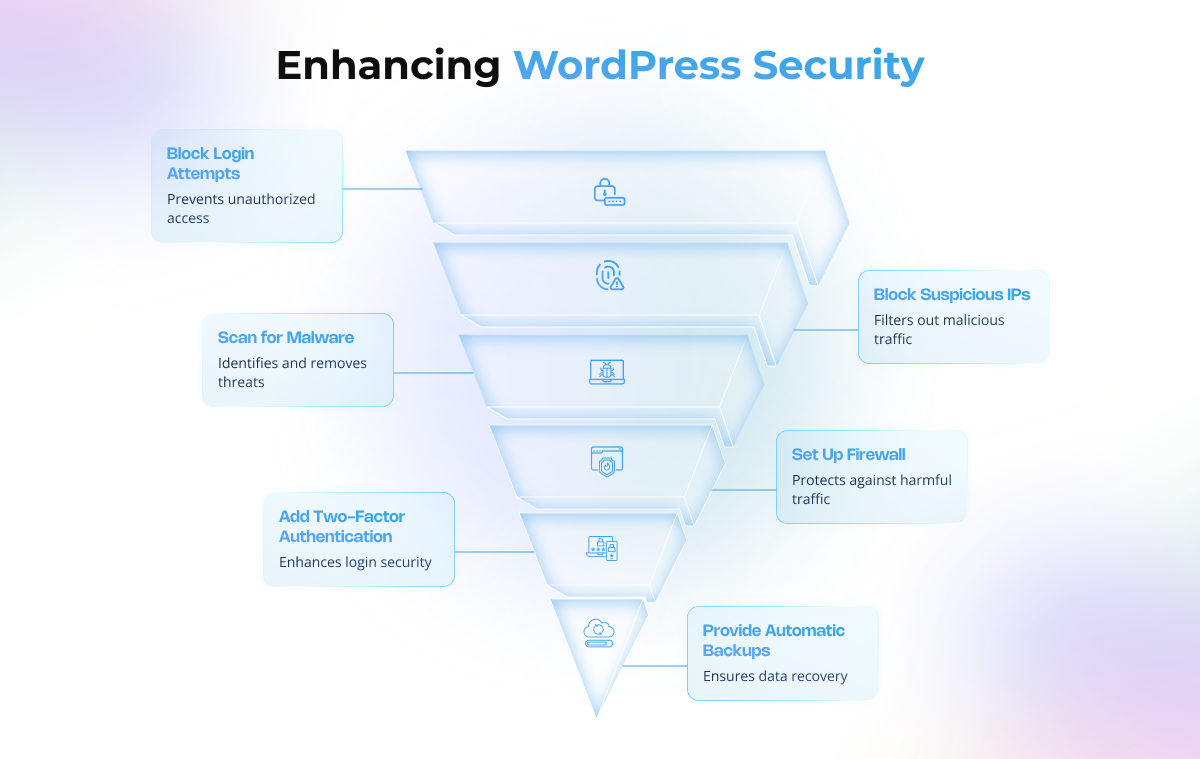
A good security plugin on your WordPress site can help you:
- Stop repeated force login attempts
- Block suspicious IP addresses
- Scan your site for malware and vulnerabilities
- Set up a firewall to filter out harmful traffic
- Add two-factor authentication (2FA) for safer logins
- Provide automatic backups so you can recover quickly if needed
Installing a security plugin gives you peace of mind, and you don’t have to be a tech expert to use one.
Just in case, you are looking for professional guidance and reliable support to keep your site safe, tecHindustan is here to support. With a highly experienced team, we make sure your WordPress website stays secure, protected, and worry-free.
WordPress Security Plugins You Can Trust
Your WordPress site isn’t just another site for you. It is your work, your brand, and your trust online. That’s why protecting it should never be an option. You can protect it with security plugins, which act like safeguards, blocking malware, stopping unwanted login attempts, and adding extra protection that basic hosting can’t provide.
With the right plugin, you can detect risks early, keep sensitive data safe, and maintain the confidence of your visitors.
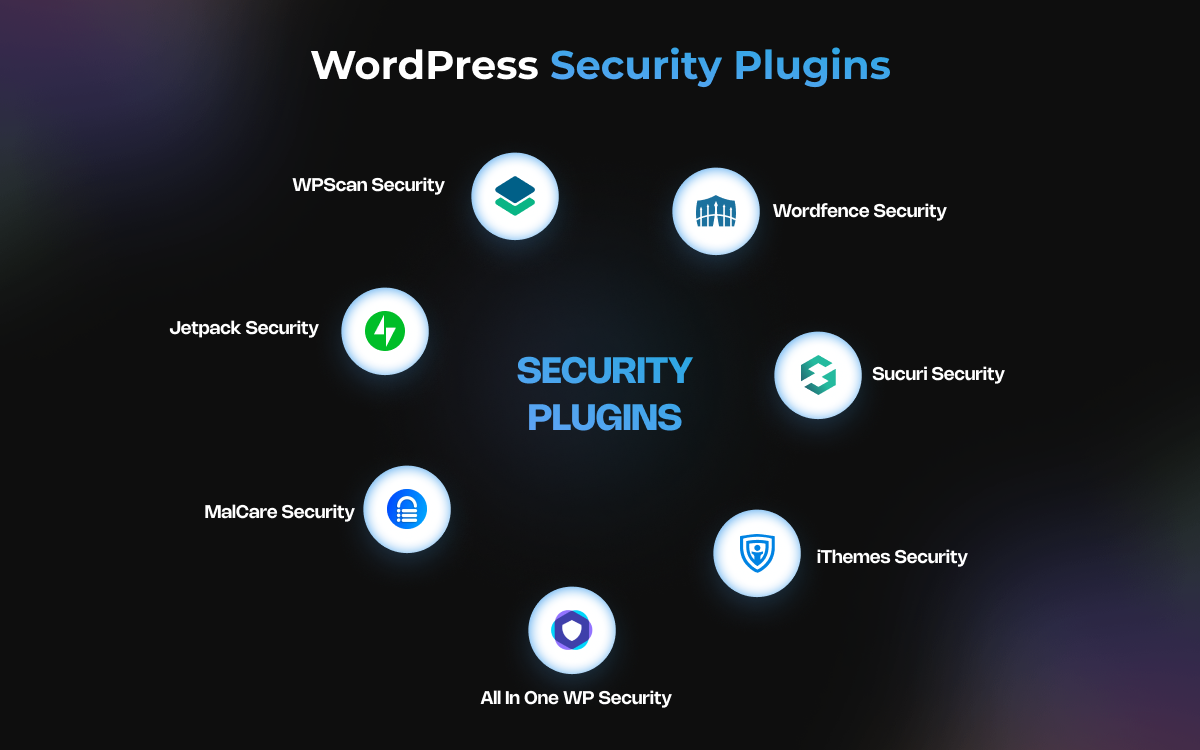
Here are some of the most trusted WordPress security plugins that professionals and businesses rely on every day:
- Wordfence Security
When you own a WordPress website, keeping it secure is naturally one of your top concerns. To help with that, Wordfence stands out as one of the most trusted security plugins, protecting millions of sites around the world. It gives you peace of mind with powerful features like a real-time firewall, malware scanning, two-factor authentication, and automatic blocking of suspicious IP addresses. With regular security updates, Wordfence ensures your site is always prepared for new and emerging threats.
Imagine you’re running an online store and someone tries to break in by guessing your password again and again. Similarly, when you're experiencing repeated brute-force login attacks, Wordfence stops them instantly, keeping your customers’ data safe.
- Sucuri Security
Another trusted security plugin is Sucuri Security. It is known for its strong website protection and monitoring services. Adding this plugin offers peace of mind that your site is being looked after, even when you’re not watching.
The key features of this security plugin include a reliable website firewall (available in the paid plan), continuous malware and integrity monitoring, real-time security notifications, and post-hack security actions to help restore your site if something goes wrong. These features make it easier to prevent risks and maintain your website’s credibility.
When you notice unwanted redirects or sudden warnings on your site, it can feel alarming and frustrating. This is where Sucuri makes a real difference. It quickly identifies the hidden malware, cleans up the issue, and restores your website’s security.
- iThemes Security (formerly Better WP Security)
iThemes Security is a popular solution if you own a WordPress site and are looking for strong protection without complicated setup. The plugin will help you secure your site from attacks and keep your data and visitors safe.
Its key features include enforcing strong passwords, two-factor authentication, malware scanning, protection against repeated login attempts, and scheduled backups. These tools work together to prevent issues and make recovery easy if anything goes wrong.
When your WordPress site faces repeated login attempts, this is where iThemes Security proves useful. It locks out intruders, adds stronger login protection, and gives you confidence that your customers’ data is secure.
- All In One WP Security &
All In One WP Security & Firewall is a great choice for your WordPress site if you want robust protection without paying for a premium plugin. It’s packed with features that safeguard your website, protect user accounts, and prevent unauthorized access.
With this plugin, you get features like account monitoring, login lockouts to stop repeated login attempts, a security grading system to measure your site’s protection, and a basic firewall to block harmful traffic. These tools work together to keep your site safe and give you peace of mind.
When you see your login page filling up with failed attempts, this is where All In One WP Security & Firewall makes the difference. It instantly blocks those IPs and protects your site before things can go wrong.
- MalCare Security
MalCare Security is a WordPress malware removal plugin built for speed and simplicity. What makes it stand out is that it runs scans on its own servers, so your site’s performance is never slowed down. It focuses on quick detection and instant cleaning, so you can feel confident your website is always protected.
It protects your site with instant malware cleanup, live threat monitoring, and a reliable firewall without slowing down your website.
When your eCommerce site or blog faces the risk of malware, every second counts. With MalCare, you don’t have to wait for manual fixes. It removes threats automatically, protects your site in real time, and helps you maintain trust with your visitors and customers.
- Jetpack Security
If your WordPress site needs reliable protection, Jetpack is more than just a typical security plugin. It not only protects your website but also enhances performance and management. With Jetpack, you can have peace of mind knowing your site is monitored, backed up in real time, and protected from common threats.
This plugin offers real-time backups to keep your content safe, protection against brute force attacks, downtime monitoring so you’re alerted instantly, and premium malware scanning for deeper security. These tools work together to keep your WordPress site secure, reliable, and always ready for your visitors.
When a small digital agency experienced a site crash after a plugin update, Jetpack restored everything within minutes. Thanks to its real-time backups, the agency avoided downtime and kept its client’s website running smoothly.
- WPScan Security
If your WordPress site relies on multiple plugins and themes, WPScan is a must-have. This specialized vulnerability scanner focuses on detecting known security issues in your themes, plugins, and core files, helping you stay one step ahead of hackers.
WPScan provides detailed vulnerability detection for themes and plugins, sends timely security notifications, performs daily automatic scans, and uses a community-driven database to keep you informed about new threats.
When a blogger has outdated plugins, these hidden security gaps put their site at risk. WPScan flagged these vulnerabilities, allowing them to update everything before hackers could exploit the weaknesses.
Real Life Examples of Security Plugins
Here are the real-world examples showing how leading brands rely on WordPress security plugins to overcome threats and keep their websites safe:
- Sucuri Security: GoDaddy
GoDaddy, one of the world’s biggest web hosting providers, uses Sucuri to protect websites from cyber threats. In one case, a customer’s site was hit with a huge DDoS attack, which basically involved thousands of fake visits per second trying to crash the site. With Sucuri’s firewall and malware scanner, the attack was stopped quickly, and the site stayed online with barely any downtime. This highlights how powerful Sucuri can be in times of crisis.
- Jetpack Security: FreshySites
FreshySites, a WordPress design and development company managing over 1,200 websites, turned to Jetpack Security to keep everything safe. With Jetpack, they could back up websites in real time, watch for downtime, and stop hackers from forcing their way in with repeated login attempts. Instead of juggling different tools, FreshySites had all the protection they needed in one place. This saved them time, reduced stress, and allowed them to focus on growing their business and helping clients.
How to Tell If Your Security Plugin Is Doing Its Job
Most people just install a security plugin and assume their site is safe, without really knowing if it’s working. That can leave you wondering whether your website is actually protected or just running on blind trust.
- You’ll get alerts whenever a suspicious login attempt is blocked.
- Regular malware scans will come back clean, giving you peace of mind.
- Strange or harmful traffic gets flagged and filtered before it can cause damage.
- Your website continues to run smoothly without slowing down.
- Reliable backups let you restore your site quickly after an issue.
Pro Tip: Make it a habit to check the plugin dashboard. Reviewing activity logs and scan results helps you stay updated and ensures your site is always protected.
Quick Tips to Make Your WordPress Site Secure
If you believe that installing a plugin alone is enough to secure your WordPress site, your website may not be as safe as you think. Real protection also comes from a few simple steps that strengthen your site’s defenses.
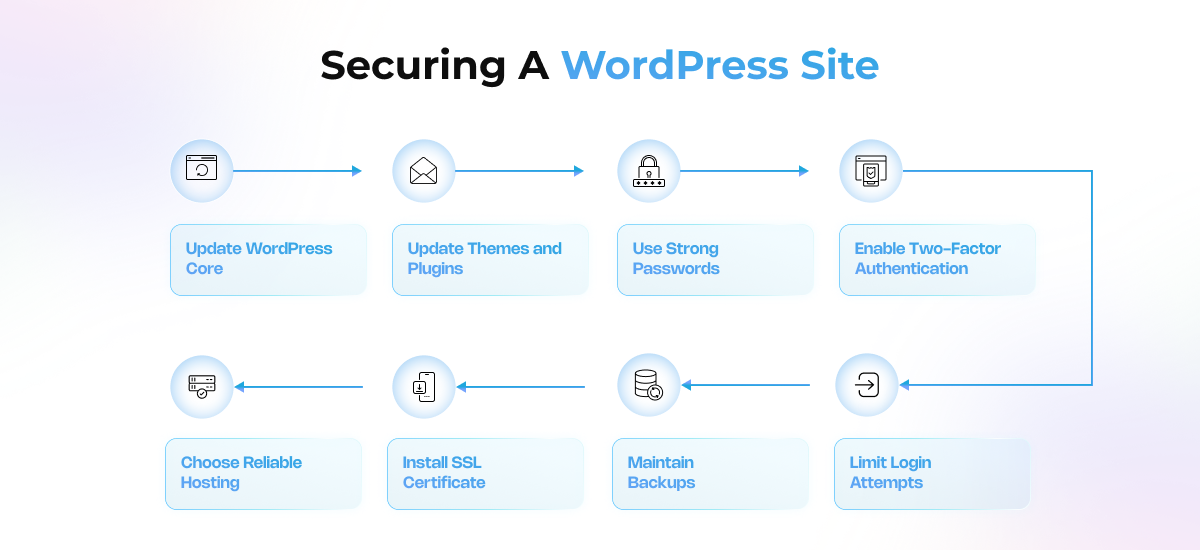
Here’s how you can do that:
- Keep your WordPress core, themes, and plugins updated so hackers can’t exploit old versions.
- Use strong and unique passwords, and rely on a password manager to avoid easy break-ins.
- Turn on two-factor authentication for extra login safety.
- Limit failed login attempts so bots can’t keep trying to guess your password.
- Always keep recent backups so you can quickly restore your site if something goes wrong.
- Add an SSL certificate to secure your site with HTTPS.
- Choose a reliable hosting provider that includes firewalls and security monitoring.
These small habits, when paired with a strong security plugin, give your site the protection it really needs.
Conclusion
Securing your WordPress site is not optional. It’s what keeps your data, your customers, and your reputation safe. Plugins such as Wordfence, Sucuri, and iThemes Security offer a strong foundation for beginners and small businesses, while advanced tools like MalCare, WPScan, and Jetpack provide stronger protection for growing websites. The best plugin depends on your specific needs, but the key is taking action to secure your site.
If website security feels overwhelming, tecHindustan’s team can help you keep your site safe with the right tools and solutions.
FAQs
