

When was the last time you checked if your WordPress site was fully updated, secure, and performing at its best?
For many site owners, the answer is “not recently” or sometimes even “never.” That might not sound serious at first, but it is risky because WordPress powers more than 40 percent of all websites worldwide, making it a prime target for hackers and one of the platforms most likely to run into performance problems if it is not maintained.
But here is the good part: you do not need to overcomplicate things. With a clear checklist in place, you can stay ahead of issues like security breaches, slow loading times, and broken features after updates.
In this guide, we will walk you through a complete WordPress maintenance checklist for 2025. Each step is designed to help you keep your site protected, optimized, and performing at its best.
Follow this checklist for a site that stays secure, fast, and reliable, starting with regular updates you cannot ignore.
1. Regular Updates You Cannot Ignore
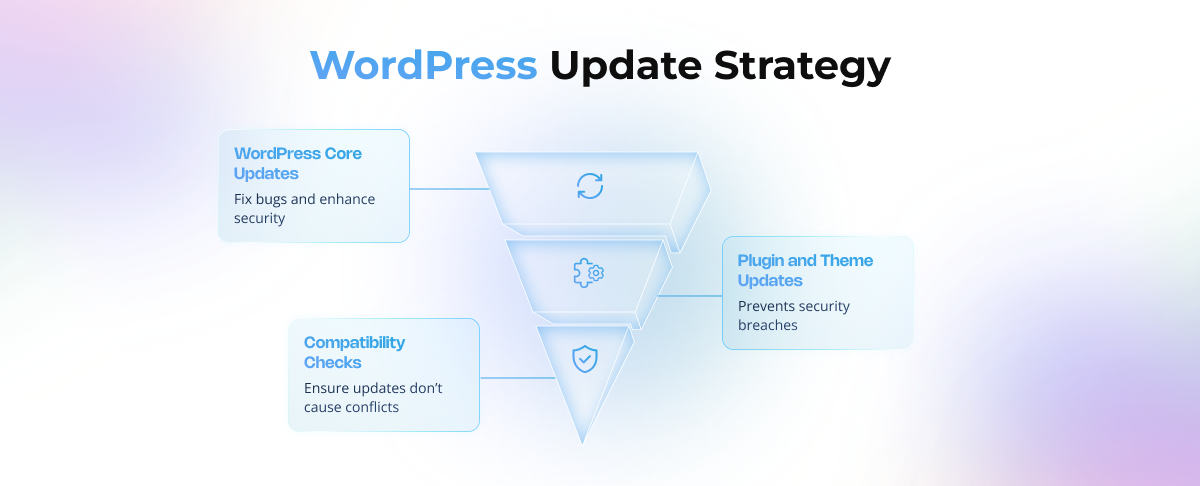
The very first step of maintaining a WordPress site is keeping it updated. Updates might feel like a small thing, but in reality, they are the backbone of your site’s health.
- WordPress Core Updates: Every update fixes bugs and strengthens security. Running on an old version is like leaving your doors unlocked.
- Plugin and Theme Updates: Outdated plugins are the number one way hackers break in. Make it a habit to update them weekly.
- Compatibility Checks: Updates sometimes cause conflicts. The safest approach is to test updates on a staging site before making them live
2. Security Essentials to Protect Your Site
Security is where most site owners take shortcuts, but it is also where mistakes hurt the most. Protecting your site is like locking your house at night, you cannot afford to ignore it.
- Use strong passwords and avoid giving admin access unnecessarily.
- Enable two-factor authentication for admin accounts.
- Install a security plugin like Wordfence or iThemes Security to monitor and block suspicious activity.
- Run malware scans regularly.
- Monitor failed login attempts and block repeated offenders.
Example: A small business site once lost all its customer data because a plugin was outdated. With proper security and monitoring, the hack could have been prevented.
3. Backup Strategy: Your Safety Net
No matter how strong your security is, things can still go wrong. That is why backups are your safety net. Think of backups as your insurance policy.
- Frequency: Daily backups for active sites, weekly for smaller blogs, and real-time backups for ecommerce stores.
- Storage: Keep backups offsite in cloud storage like Dropbox, Google Drive, or Amazon S3.
- Testing: A backup is only useful if it actually works. Test it regularly to ensure it restores without issues.
- Tools: UpdraftPlus, BlogVault, and Jetpack Backup are reliable options.
Ask yourself: If your site went down tomorrow, how quickly could you restore it?
4. Performance Optimization: Keeping the Site Fast
A slow website is one of the quickest ways to lose visitors. Most visitors leave if a page takes longer than a few seconds to load. Speed is no longer optional.
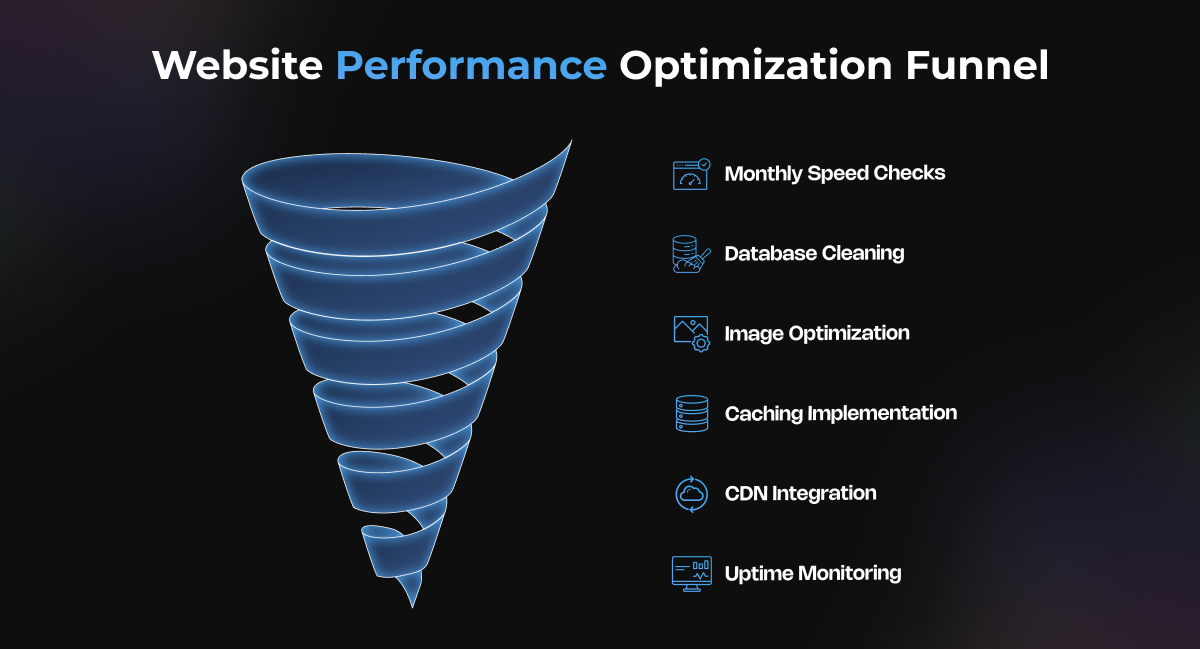
Here’s what you should focus on:
- Check site speed monthly with tools like Google PageSpeed Insights or GTmetrix.
- Clean your database by removing spam comments, old revisions, and unused data.
- Optimize images by converting them to formats like WebP.
- Use a caching plugin such as WP Rocket or W3 Total Cache.
- Consider a Content Delivery Network (CDN) to serve content faster worldwide.
- Monitor uptime with tools like UptimeRobot to know when your site is down.
Your website speed and visibility directly impact your sales. At tecHindustan, we specialize in optimizing WordPress sites so they load faster, rank higher, and convert better. Get in touch with us to unlock your site’s true potential.
5. SEO Maintenance: Staying Visible on Search Engines
Your website is only useful if people can find it. SEO maintenance ensures your site does not disappear from search results.
- Fix broken links and 404 errors regularly.
- Update meta tags, titles, and schema markup for better visibility.
- Refresh old posts with new stats, keywords, and examples.
- Submit updated sitemaps to Google Search Console.
- Ensure the site is mobile-friendly since mobile-first indexing is the default.
Action step: Run a quick SEO health check every month using free tools like Rank Math or Ahrefs Webmaster Tools.
6. Content and Media Clean-Up
Over time, WordPress sites collect digital clutter. Old plugins, unused themes, and outdated content slow everything down.
- Delete unused media files and plugins.
- Review blog posts every quarter and update outdated information.
- Remove duplicate content.
- Optimize permalinks to keep them clear and SEO-friendly.
- Moderate comments regularly to avoid spam overload.
7. Database and Hosting Maintenance
Your hosting and database are the engine of your WordPress site. Neglect them, and even a perfectly designed site will fail.
- Optimize your database using tools like WP-Optimize.
- Monitor hosting performance and upgrade if traffic grows.
- Ensure your PHP version is up to date for speed and compatibility.
- Remove leftover database tables when uninstalling plugins.
8. Monitoring Analytics and Site Health
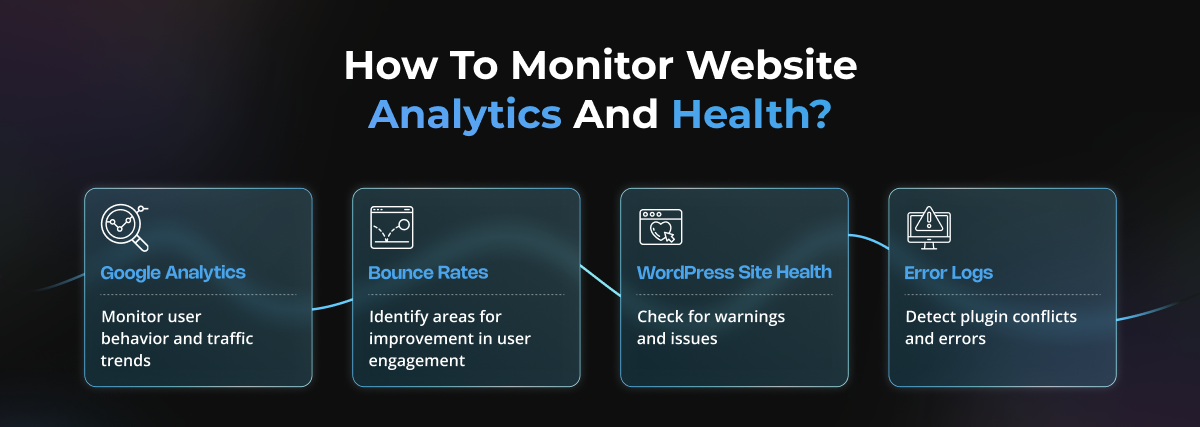
If you are not tracking your site’s performance, you are flying blind. Analytics and health checks help you catch problems before they become disasters.
- Use Google Analytics to monitor user behavior.
- Keep an eye on bounce rates and traffic trends.
- Review WordPress Site Health under the Tools menu for warnings.
- Regularly check error logs for plugin conflicts.
Real-world example: One site owner discovered that their contact form was broken for months, only because they checked their analytics and noticed a sudden drop in conversions.
9. Compliance and Accessibility in 2025
Legal compliance and accessibility are no longer optional. They protect your business from penalties, improve user trust, and create a better experience for all visitors.
- Privacy laws: Businesses are expected to follow data protection regulations in their regions. This includes being transparent about data collection, adding clear privacy policies, and using cookie consent banners where required.
- Accessibility: Websites should be designed to meet accessibility standards so that people with disabilities can use them without barriers. Simple steps like testing your site with tools such as WAVE can help ensure compliance.
Why it matters: A site that is inclusive and compliant not only avoids legal risks but also builds stronger relationships with customers who feel respected and supported.
Monthly and Annual Maintenance Checklist
Looking after a WordPress site is much easier when you do not treat it as one giant to-do list. Instead of trying to handle everything at once, break it down into smaller, regular routines. Some tasks are best done every month, others once a quarter, and a few only once a year. When you follow this rhythm, maintenance feels manageable and becomes a natural part of your routine.
Monthly Tasks: Keep Your Site in Shape
These are the basics that keep your site safe and running smoothly. Think of them as your website’s regular health check-ups.
Update plugins, themes, and WordPress core: Each update brings important fixes and security patches. Leaving them undone is like leaving your front door unlocked. Take a few minutes each month, or even weekly if possible, to update everything and keep your site protected.
- Update plugins, themes, and WordPress core: Each update brings important fixes and security patches. Leaving them undone is like leaving your front door unlocked. Take a few minutes each month, or even weekly if possible, to update everything and keep your site protected.
- Run backups and test them: Backups are your safety net. It is not enough to simply have them; you need to know they work. Each month, run a fresh backup and test the restore process. If anything goes wrong in the future, you will be ready.
- Scan for malware: A monthly scan is like checking your locks before bed. Security plugins can automate this, but it is wise to take a quick look yourself as well. Catching issues early is always easier than fixing them later.
- Review analytics and fix broken links: Spend some time with your analytics. Are people engaging with your site the way you expect? Any pages showing a sudden drop in activity? Also, fix broken links quickly, as they frustrate visitors and hurt SEO.
If you make this monthly routine a habit, you will always know your site is safe, secure, and performing well.
Quarterly Tasks: A Deeper Clean
Every three months, take the opportunity to go beyond the basics. This is your chance to refresh and fine-tune.
- Refresh old content: Look back at older blog posts or pages and update them. Add new data, improve examples, or polish explanations. Fresh content is valued by both readers and search engines.
- Optimize the database: Over time, your database collects clutter such as old revisions, spam comments, and unused data. Cleaning it quarterly keeps your site faster and more efficient.
- Check site speed: Run a speed test using tools like Google PageSpeed Insights. If your site feels sluggish, compress images or adjust caching to improve performance.
Think of quarterly maintenance as spring cleaning. It makes your website lighter, faster, and more polished for the months ahead.
Annual Tasks: The Full Check-Up
Once a year, step back and take a broad look at your site. Just as you would schedule a full medical exam, your website deserves a yearly review.
- Perform a full site audit: Review content, design, plugins, SEO, and performance. Identify weak areas and create a plan for the year ahead.
- Review hosting performance: If your hosting has been slow, unreliable, or too limited for your traffic, consider upgrading. A strong hosting provider can dramatically improve speed and uptime.
- Renew SSL certificate and check domain health: SSL certificates assure visitors that your site is secure. Make sure yours is up to date. Also confirm your domain registration is renewed so the site never accidentally goes offline.
Annual maintenance is your website’s full check-up. It is not only about fixing problems but also about preparing for growth and long-term stability.
How This Checklist Helps You
By following this schedule of monthly, quarterly, and annual tasks, you avoid the pressure of doing everything at once. You stay a step ahead, confident that your site is protected and optimized.
This is what true website maintenance is about: peace of mind.
And remember, you do not have to do it all by yourself. Our team at tecHindustan is here to help. We manage everything from security and backups to performance and compliance, so you can focus on growing your business while we keep your website running at its best.
Closing Thoughts
A well-maintained WordPress site is like a well-serviced car. It runs smoothly, gets you where you need to go, and rarely breaks down unexpectedly. By following this checklist, you protect your site from security risks, keep it fast for your visitors, and ensure it stays visible on search engines.
But the benefits go even deeper than that. A secure and reliable site builds trust with your customers. A fast site improves conversion rates, helping you make the most of your traffic. Consistent updates and backups save you from the financial and reputational damage that often follows a site crash or hack. In other words, maintenance is not just about avoiding problems. It is also about creating opportunities for growth.
Remember, WordPress is not a “set it and forget it” platform. It is powerful because it can adapt, scale, and grow with your business. Regular maintenance ensures that power works in your favor instead of becoming a source of stress.
FAQ
